
The Frontline21 App
Put your values into practice.
Choose your daily commitments. Prepare for the moments that test you. See what you followed through on, with a personal Line Brief and a red line that grows as you keep what you planned.
In development · Planned for iOS and Android
01 · The calling
A generation is being tested.
Truth is treated as a preference. Comfort is treated as a right. Responsibility is left for someone else to carry.
Frontline21 answers with a code, lived where a man already stands: at home, at work, in church, among friends. The app is where that code meets an ordinary day.
I am a man who holds the line.
That does not mean he never fails. It means he returns to the line, tells the truth about what happened and chooses his next move deliberately.
02 · The Daily Stand
Step up to the line.
Coming with Frontline21
Begin with a truth worth standing on.
A Wall of Truth leads into Scripture, a short devotional, prayer and one practical response. Then carry it into the conversations, choices and responsibilities already waiting for you.
Sample reading · Wall of Truth
Decide what holds before the pressure comes.
Matthew 7:24–27World English Bible
An original Frontline21 declaration. The Scripture is its context, not its source.
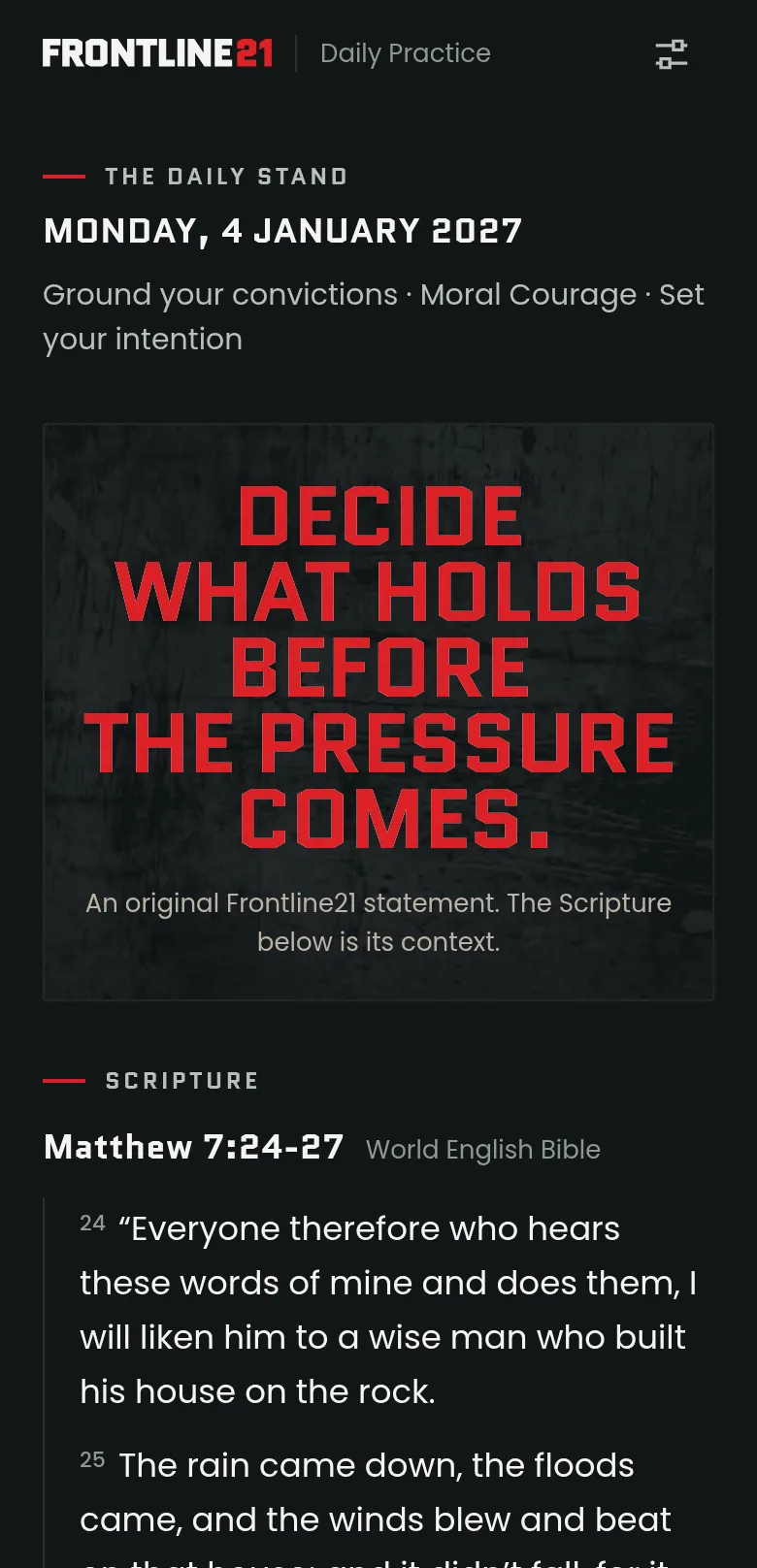
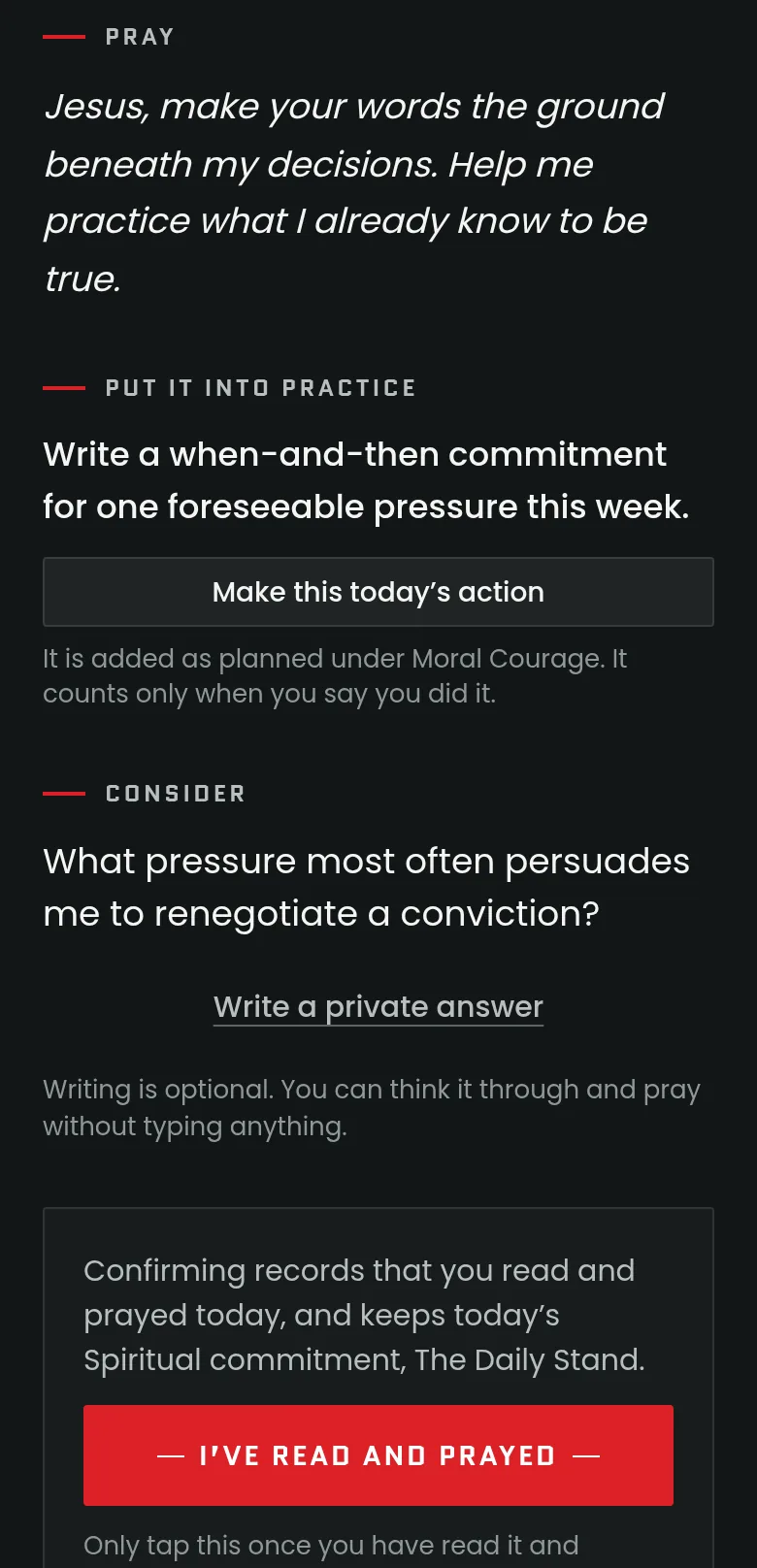
Prototype · browser recording The Daily Stand as the current build shows its sample reading, captured in a desktop browser at phone size. Not yet tested on a phone.
- Truth A declaration from the code, set as a Wall.
- Scripture The passage it stands on, printed in full.
- Prayer A short prayer, always on the page.
- Response One practical action you can carry into today.
- A reading for the day
- Each one is organized around one of the five values. Men who open it on the same date meet the same reading.
- No catch-up debt
- Every reading stands on its own. A missed day waits in the archive and is never marked overdue.
- Built into the app
- A full year of daily readings is built into the prototype for launch, and it opens without a connection.
- Counts only when you say so
- Opening a reading records nothing. If you chose The Daily Stand as your spiritual practice, it is kept once you confirm you read and prayed. It never quietly satisfies a longer commitment.
- Carry the action
- Make the reading’s action today’s value action. It is added as planned, and counts only when you say you did it.
- An optional reminder
- At a time you choose:
Step up to the line. Your Daily Stand is ready.
Your phone’s settings decide whether it arrives.
03 · Where the test arrives
The test arrives in ordinary moments.
Rarely on a battlefield. Usually on a weeknight.
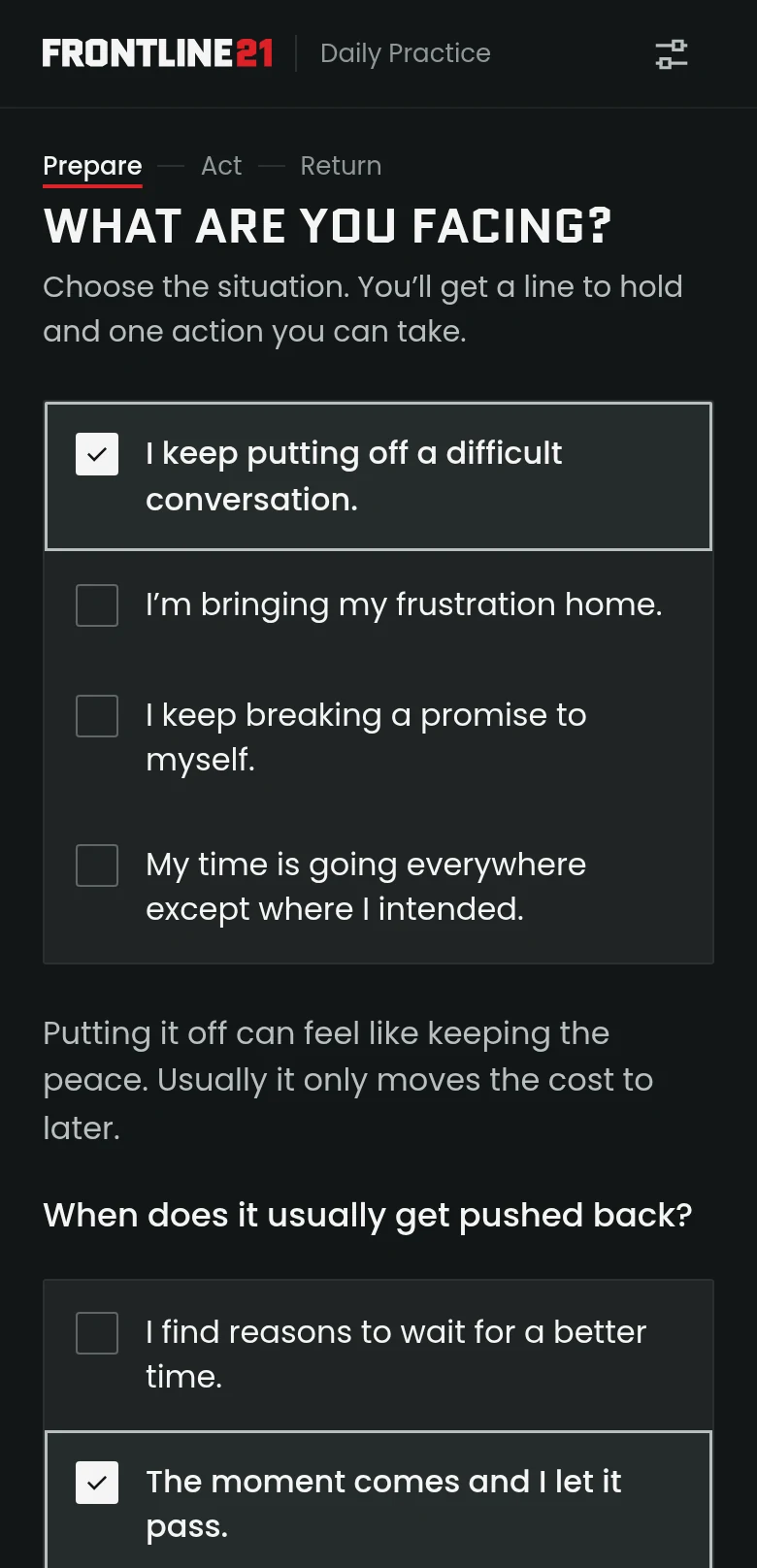
- I keep putting off a difficult conversation.
- I’m bringing my frustration home.
- I keep breaking a promise to myself.
- My time is going everywhere except where I intended.
The four situations in the app’s first mission, Hold the Line Under Pressure.
04 · Your Line Brief
Know your next move when the moment gets difficult.
A Line Brief turns conviction into one specific action. Take the conversation you keep putting off.
It is authored guidance, written for the situation. It branches on what you record, and every line can be put in your own words.
-
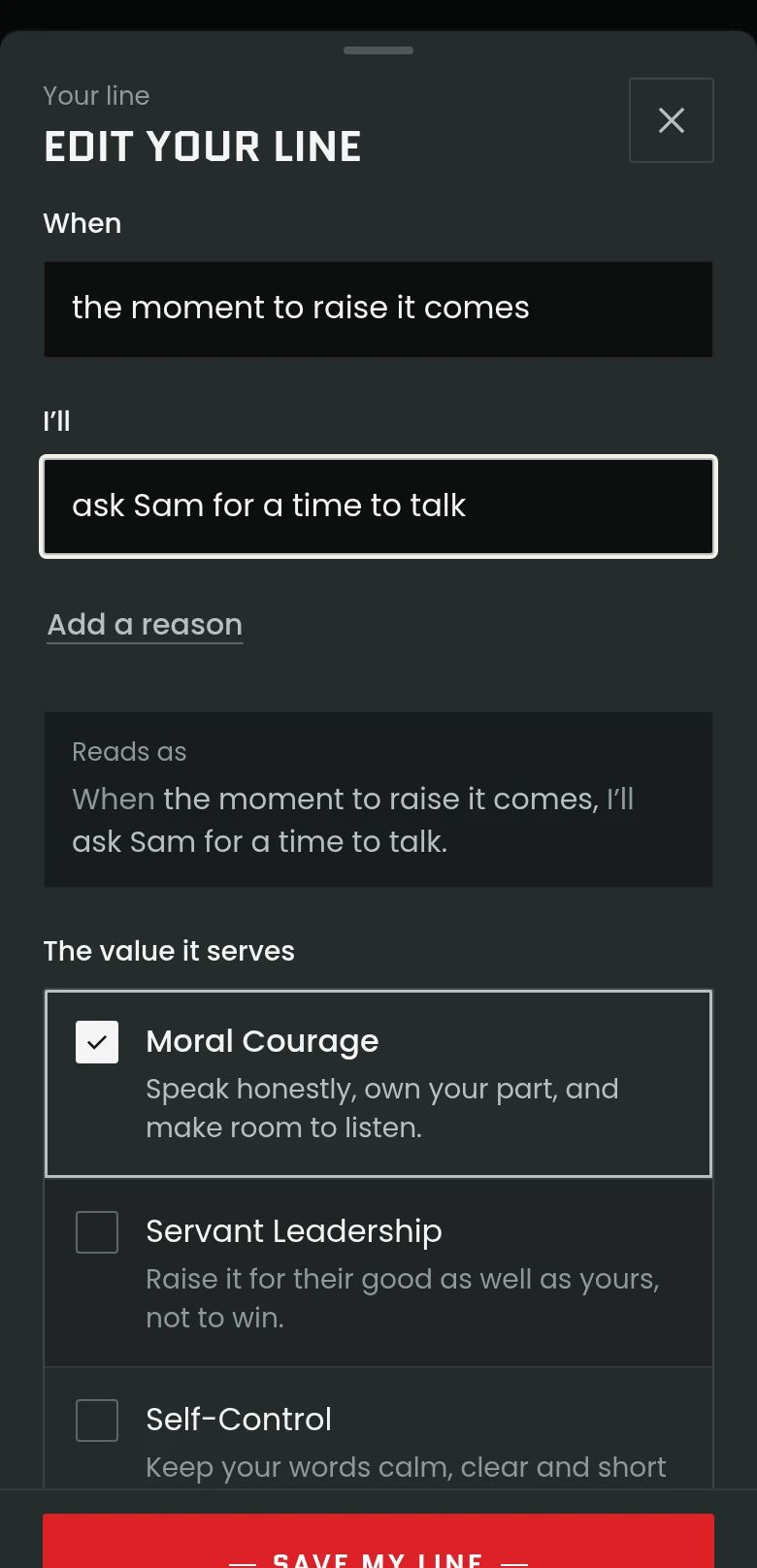
01 Prepare
Write your line: When the moment to raise it comes, I’ll ask Sam for a time to talk. Name what may get in the way and choose a response to remember.
-
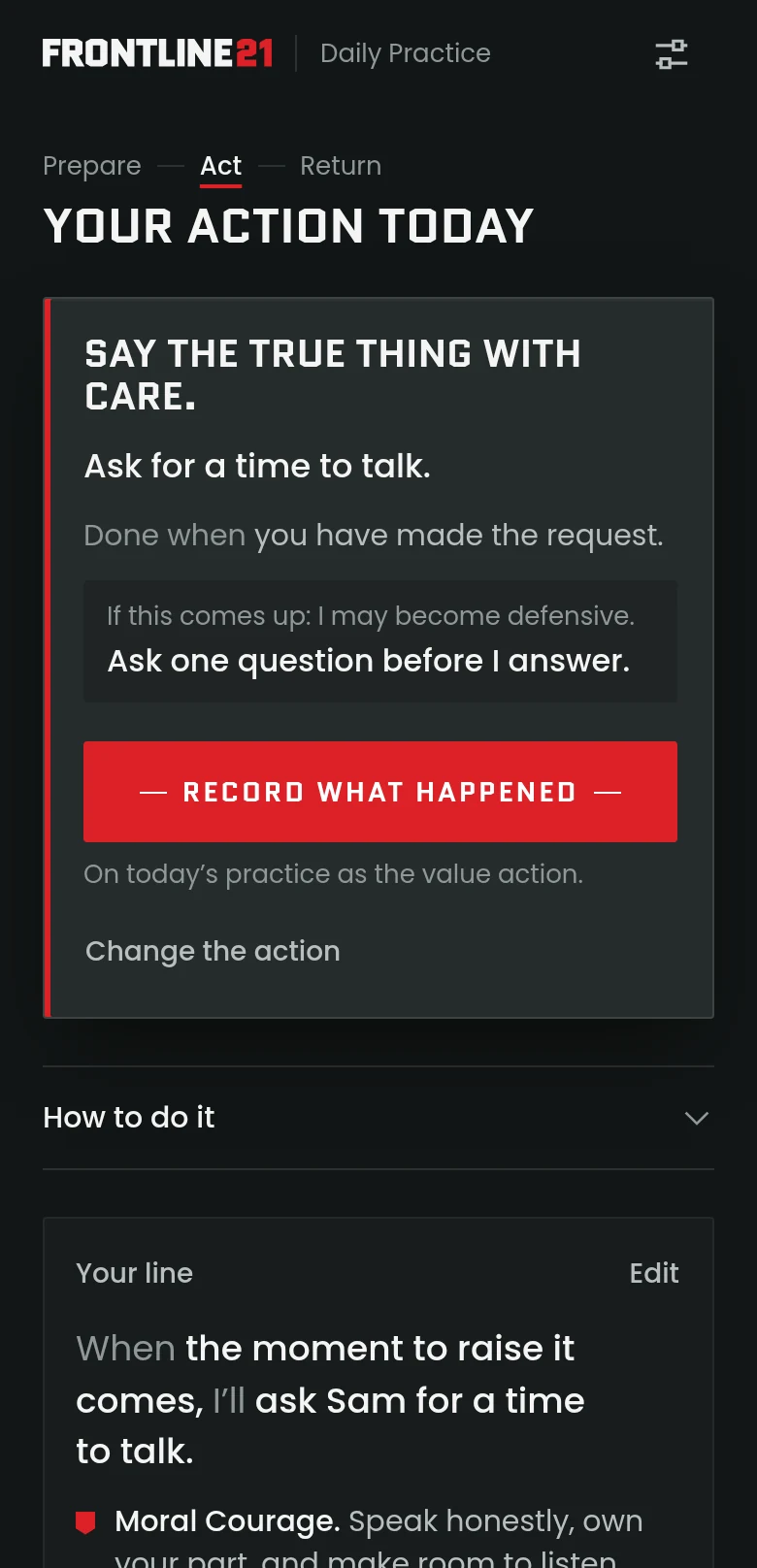
02 Act
Accept one concrete action: ask for a time to talk. It counts when you make the request. Keep it in the mission or make it today’s value action.
-
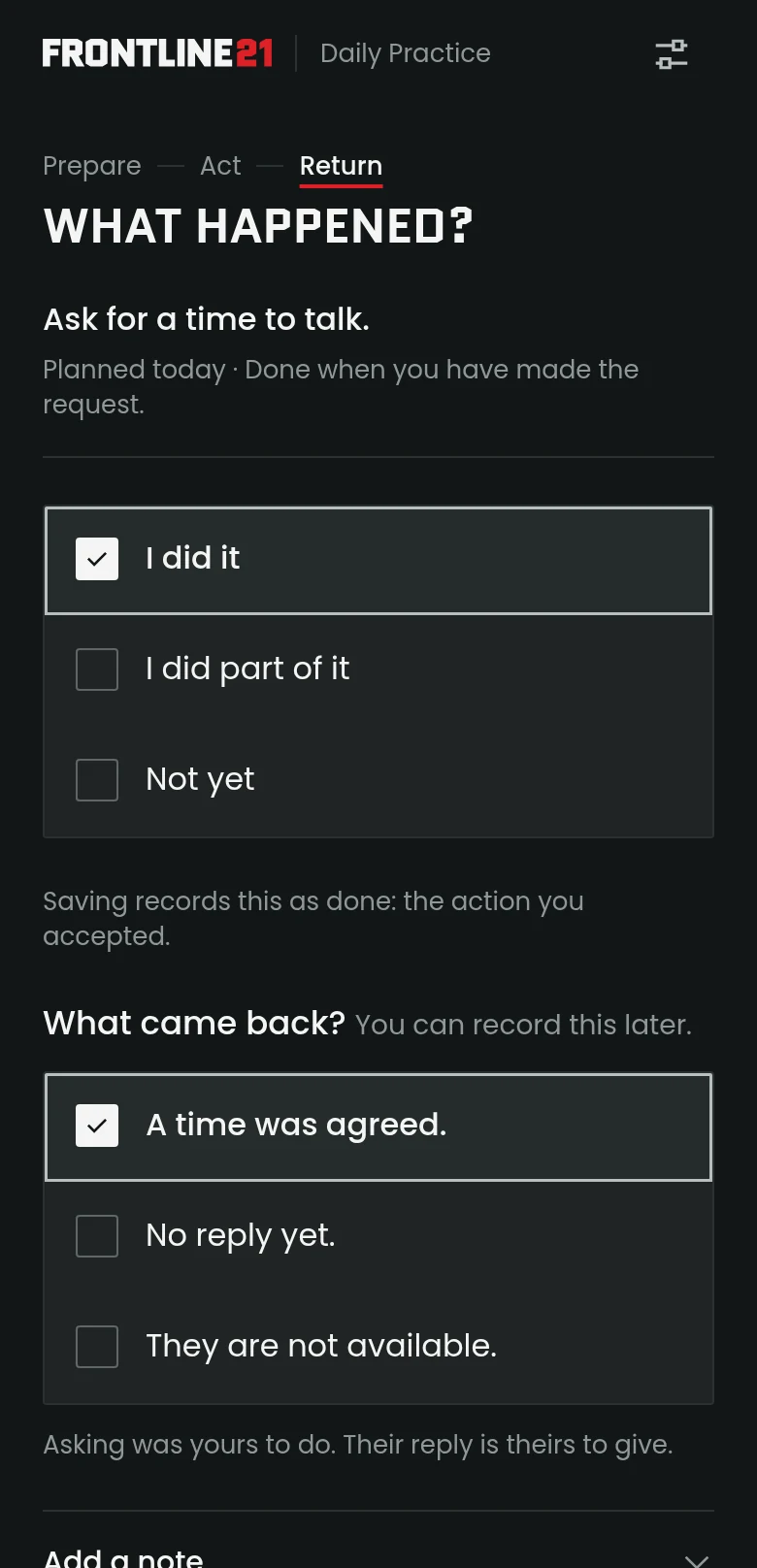
03 Return
Record what you did. Then, separately, what came back: a time agreed, no reply yet, or not available. Asking was yours to do. The answer is his.
-
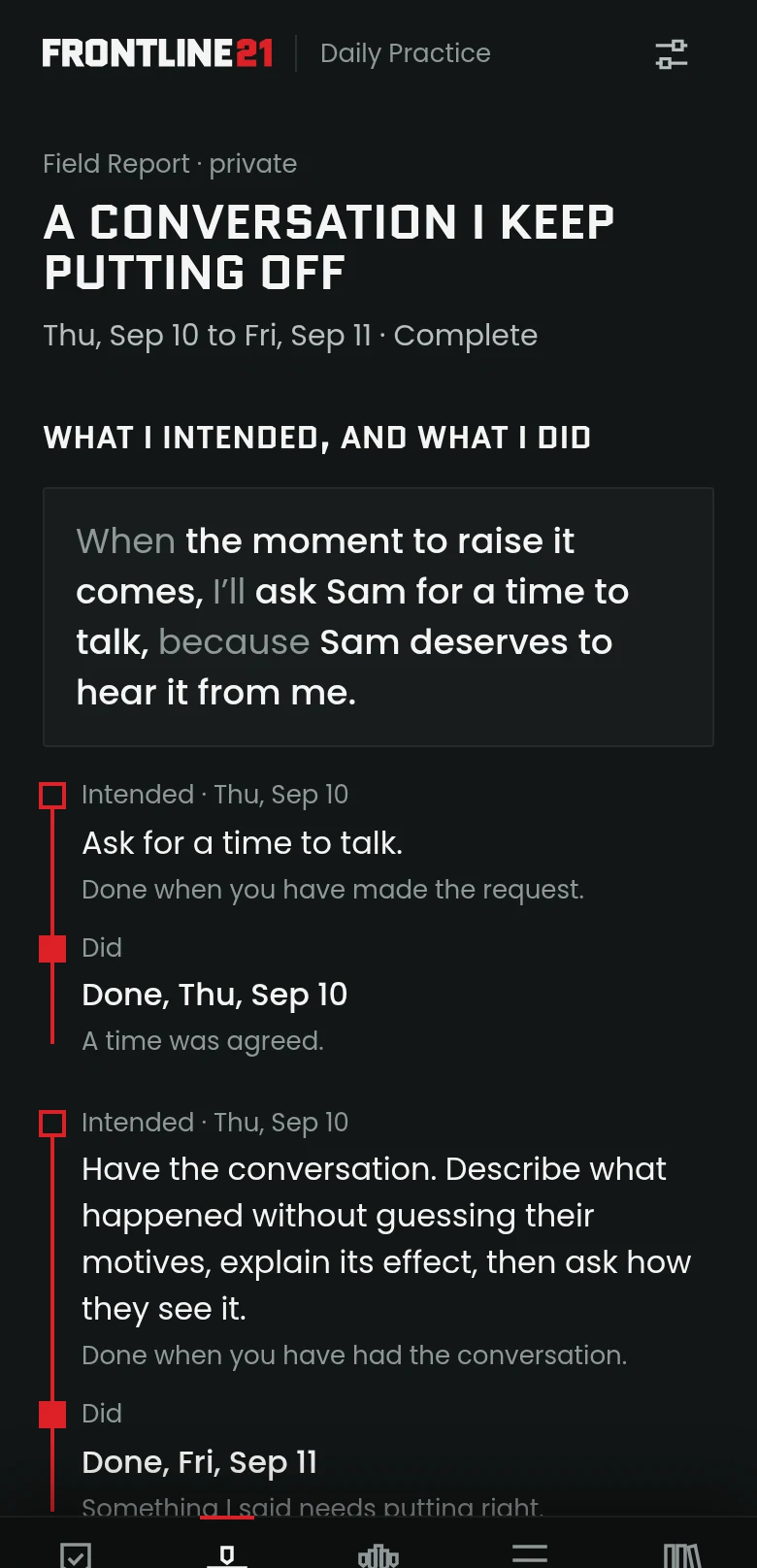
04 Field Report
What you intended beside what you did, and one line to carry forward. Private, dated, never graded.
Prototype · browser recording Line Brief screens from the current build, captured in a desktop browser at phone size. Fictional demonstration records.

05 · Protect your presence
Be here. All of you.
Planned for launch
Make room for the people in front of you.
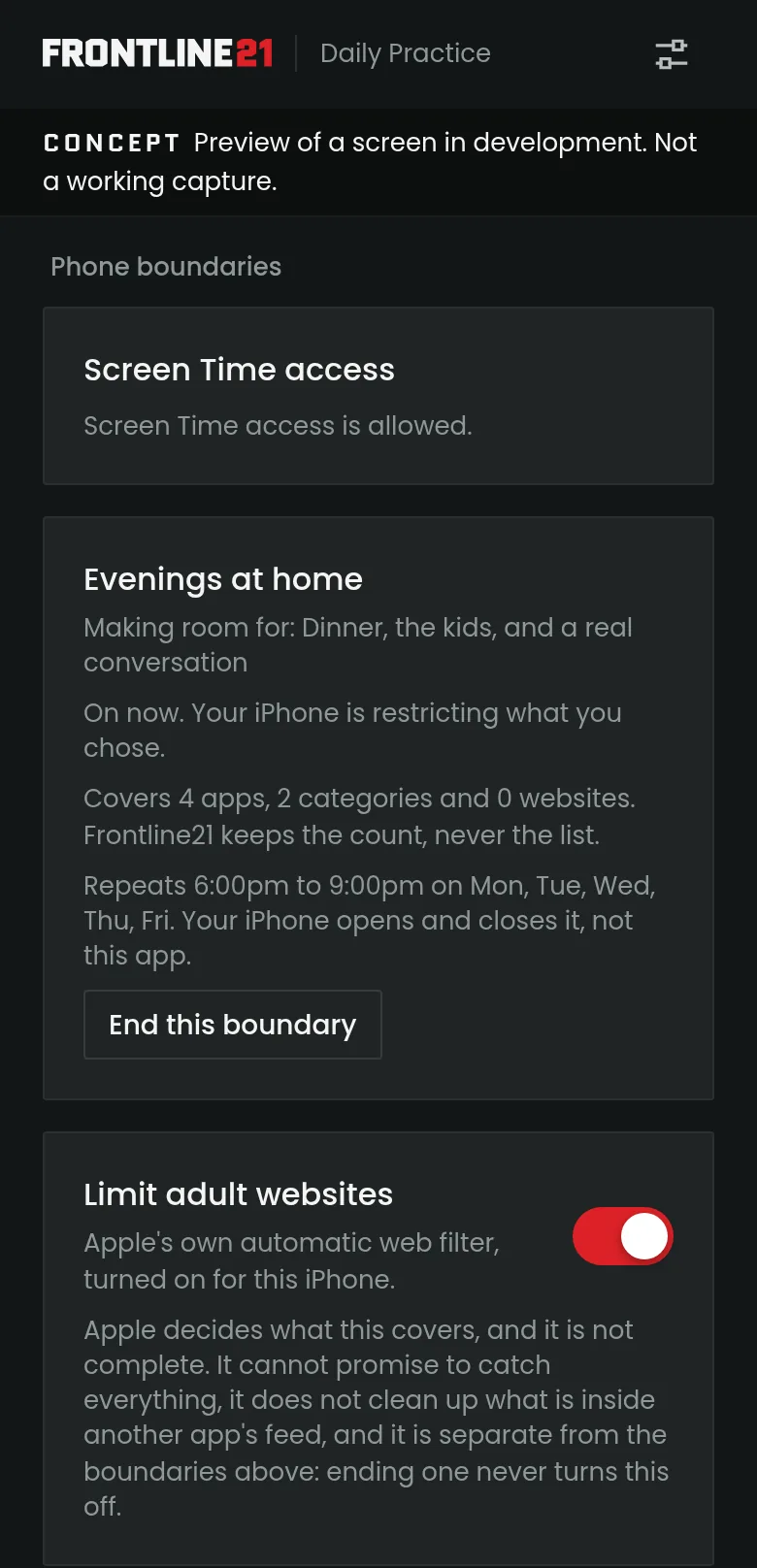
Planned screen-time tools will help you set boundaries around distracting apps and protect time for the commitments you choose. On iPhone they are being built on Apple’s Screen Time, with your permission.
- Choose the apps and the hours Pick what to set aside and when, and name what the boundary makes room for. Your phone keeps it.
- Make room for what matters Home, focused work, prayer, rest and a real conversation.
- Limit adult websites An optional switch for Apple’s own adult-website filter. Apple decides what it covers, and it does not reach inside other apps.
You set every boundary and you can end any of them. A restriction is a support you choose, not proof of character, and it never adds to your red line. On Android, the app will guide you through your phone’s own settings instead.
Supports you choose
- Protected time Room for work that needs your attention.
- Work → home Decide how you walk through the door.
- Bedtime A deliberate place for rest.
- The pause Sixty seconds before you react.
- Reading Time for the reading you chose.
- Reaching a brother A prompt to call another man, and follow through.
- A calendar block Put an intention on your calendar.
- Evening reminders Optional, and plainly worded.
Some are guided steps; a few use your phone’s own tools. None earns credit. Only a kept commitment does.

06 · Care for your body
Build strength for the life you’re called to.
Planned for launch
Care for the body your responsibilities depend on.
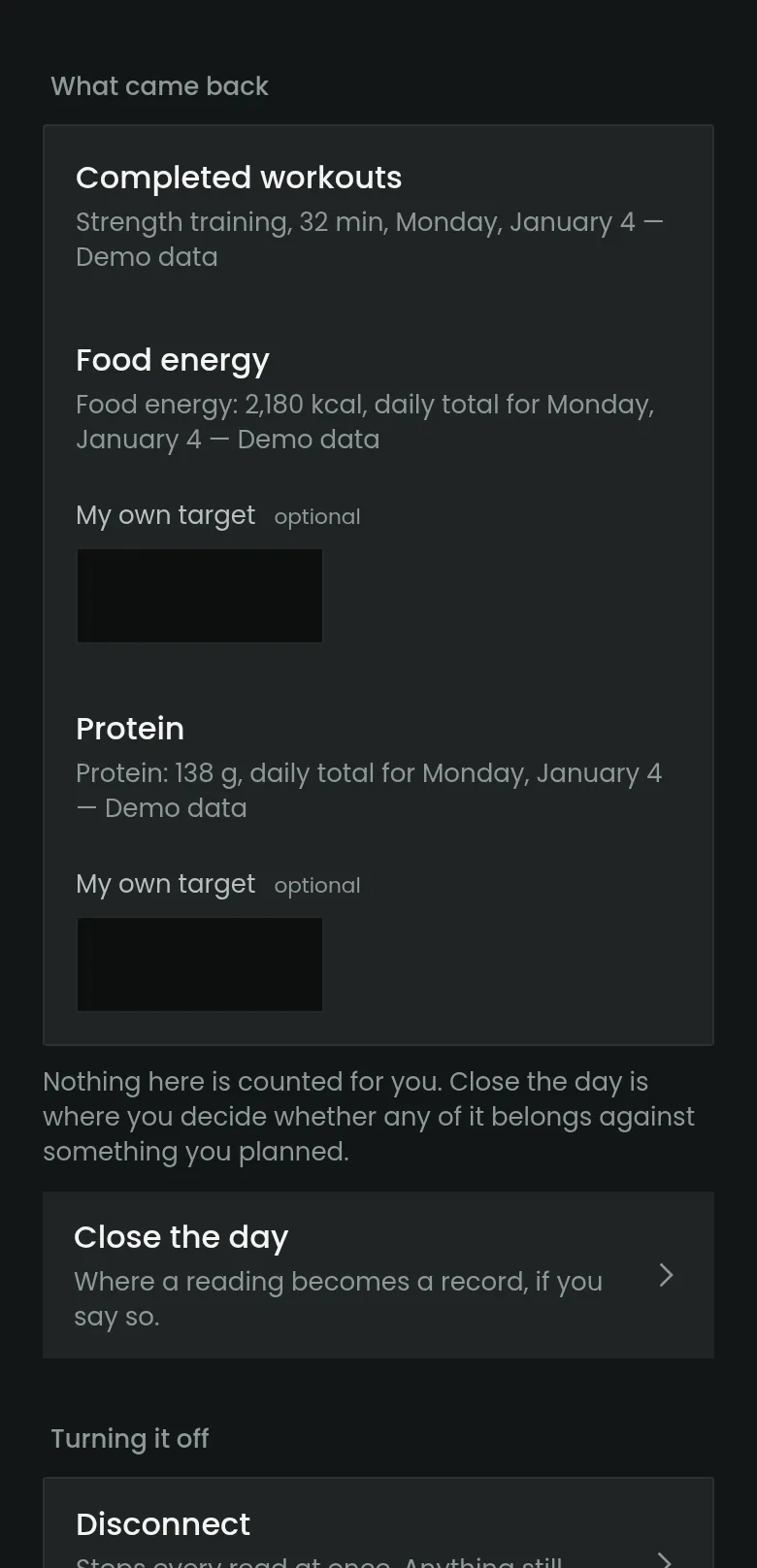
Planned connections to Apple Health, and to Health Connect on Android, will bring supported workout and nutrition information into your daily practice, with your permission. Review it beside the commitment you chose, then record what you actually kept.
- Weightlifting
- A completed strength session: when, how long and what kind. Not your sets, reps or loads.
- Running
- A completed run, with when and how long.
- Nutrition
- Daily totals for food energy and protein. A summary, not a food diary.
Your fitness or food app has to write that information to Apple Health or Health Connect first, and each kind stays off until you turn it on. Frontline21 only reads. A connected account never marks a commitment kept, and a number is not a measure of a man.
07 · Daily practice
Choose what you will keep today.
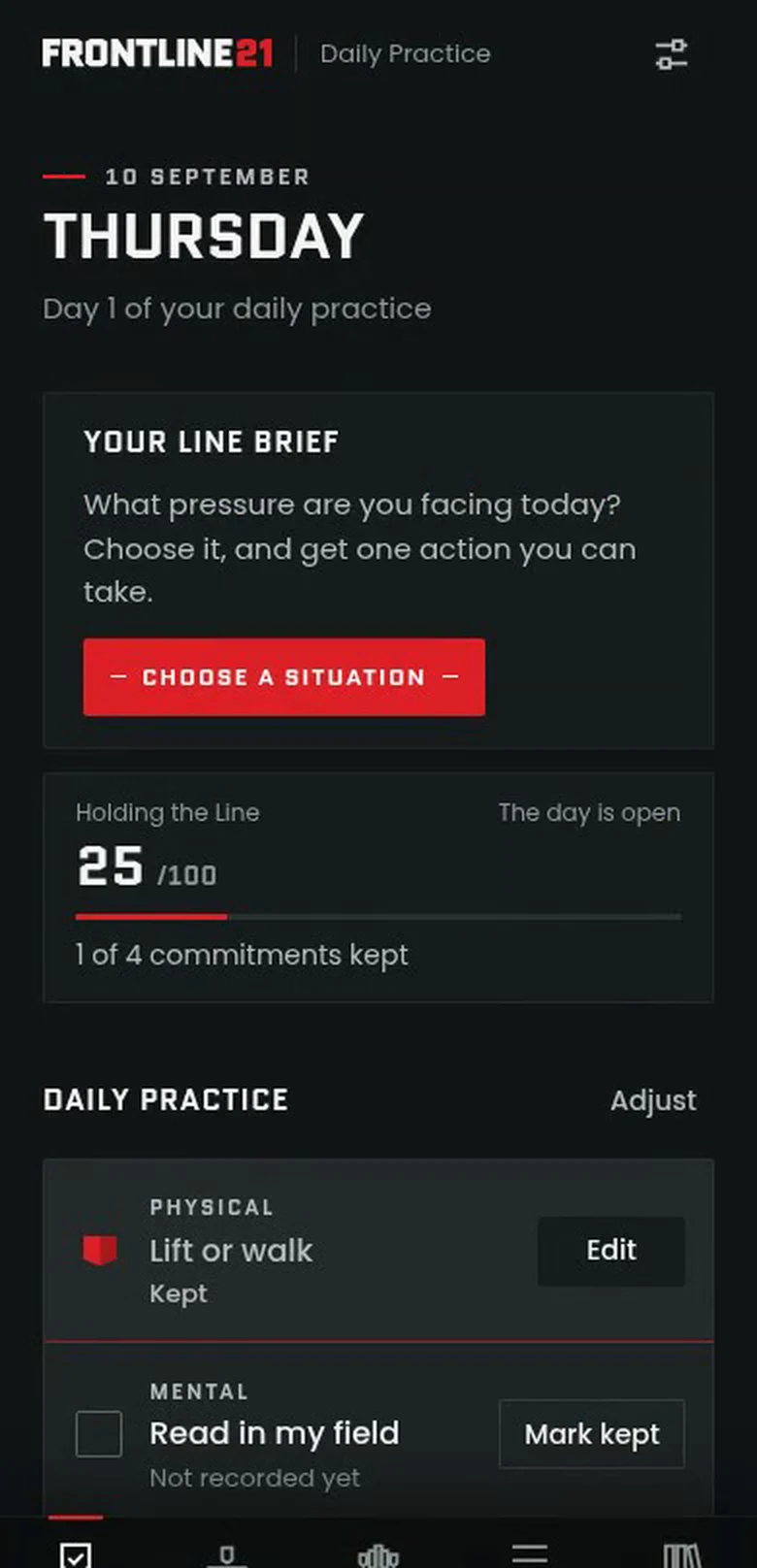
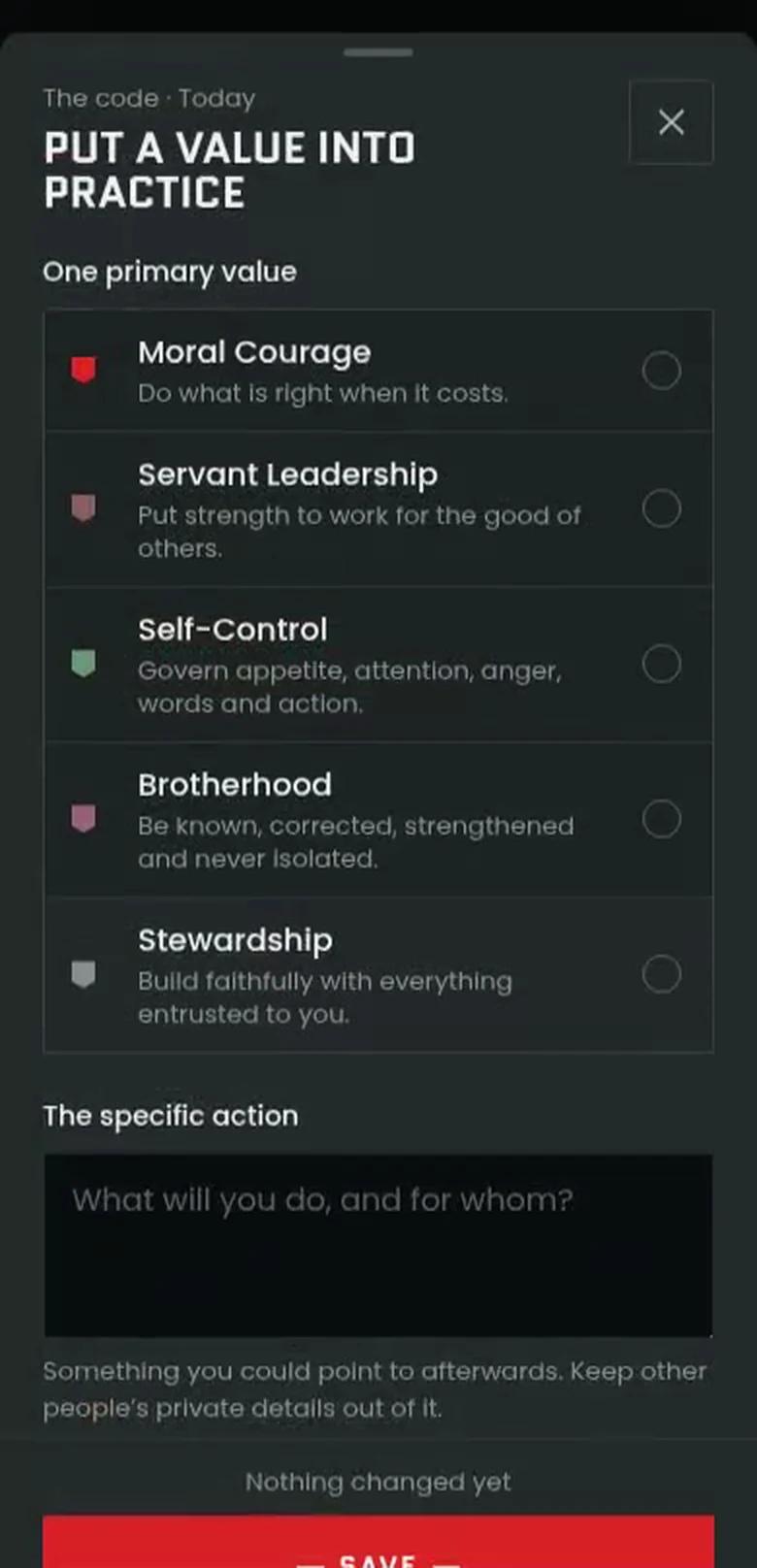
Set commitments for body, mind and spirit, then put one value into action.
- Physical
- Lift or walk
- Mental
- Read in my field
- Spiritual
- Read Scripture and pray
- The code
- One deliberate action for one value
Suggestions are starting points. You write the commitments, and you can edit or correct them at any time.
Watch your line grow.
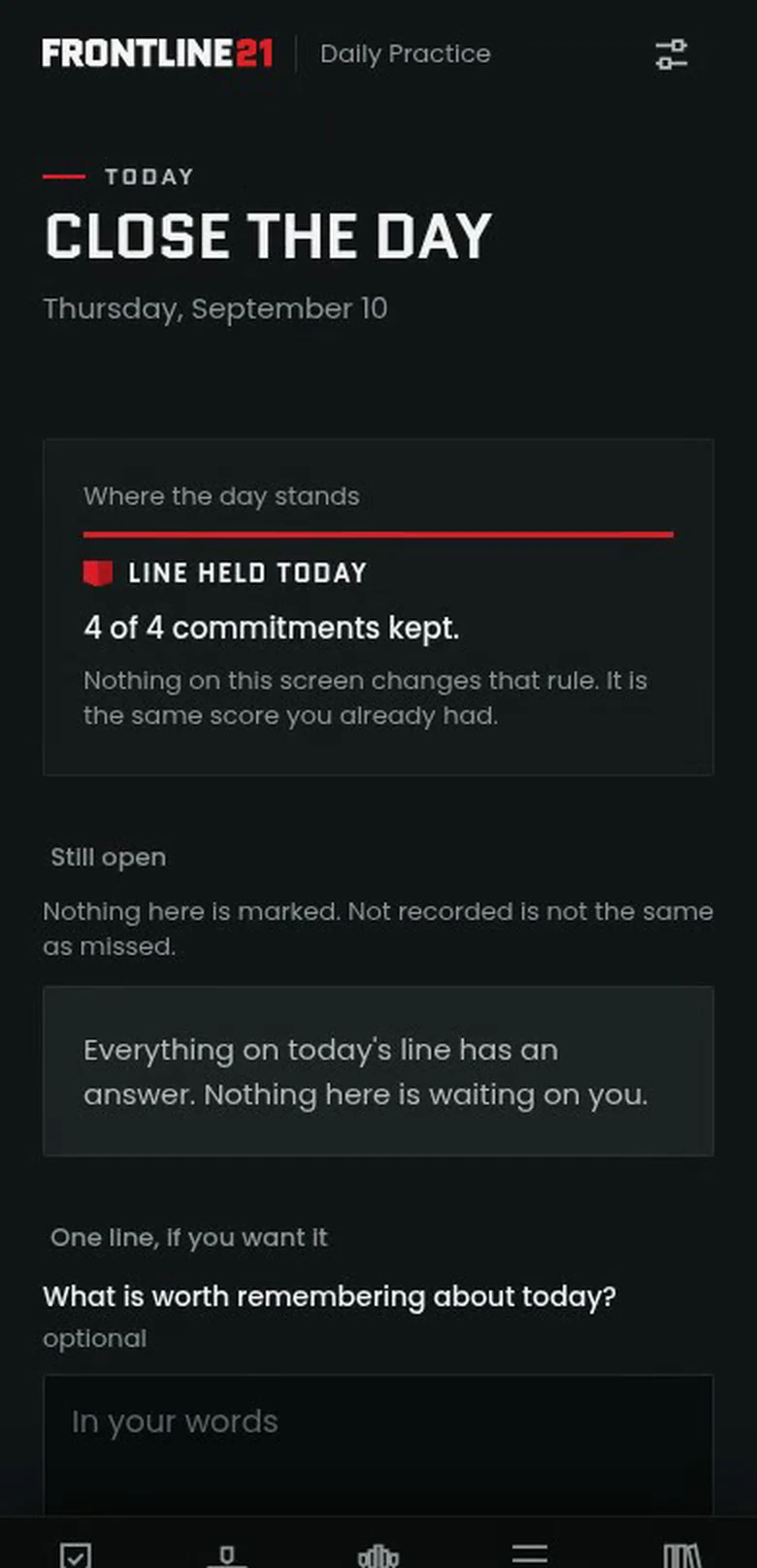
Each kept commitment extends your red line, and the count says what it measures. Partial effort is recorded, not counted. Settings earn nothing. An unlogged day stays unknown, never failed.
How the count works · diagram
- PhysicalLift or walkKept
- MentalRead in my fieldKept
- SpiritualRead Scripture and prayPart of it
- The codeAsk for a time to talkKept
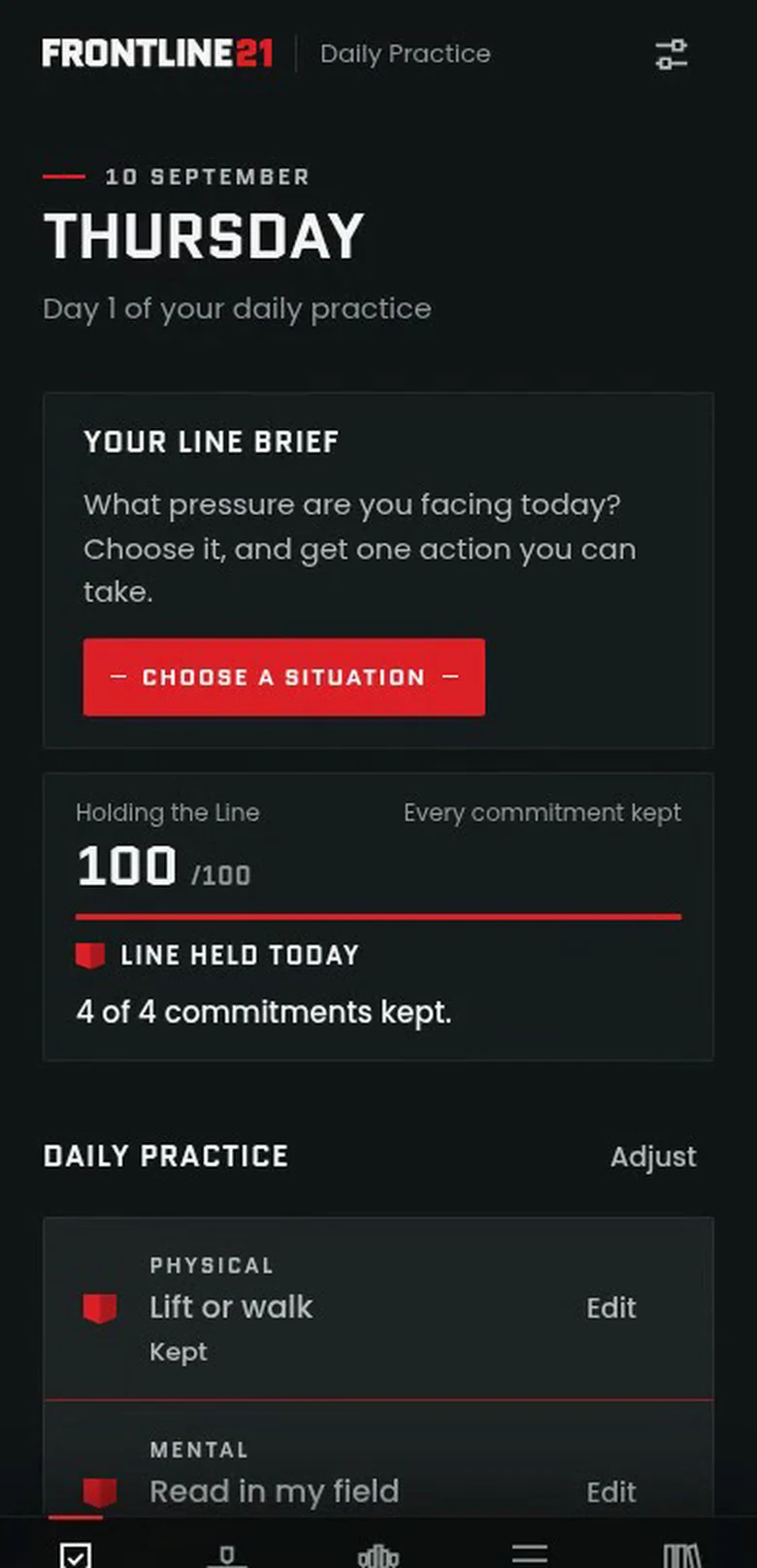
Line held.
4 of 4 commitments kept.
When every commitment you planned is kept, the shields settle above the line once, then rest as Line held today. Your plan sets the count; the demonstration plans four.
Character is not a score. It is built from kept commitments, and those you can see.
Prototype · browser recording Screens from the 15 September build, captured in a desktop browser at phone size. Fictional demonstration records.
08 · The code
Choose where you stand.
Five values, held as one standard. Each day’s deliberate action expresses one of them.
-
Moral Courage
Do what is right when it costs. Raise the hard issue. Own the mistake.
-
Servant Leadership
Put strength to work for the good of others. Help without recognition.
-
Self-Control
Govern appetite, attention, anger, words and action. Protect focused time.
-
Brotherhood
Be known, corrected, strengthened and never isolated. Reach out. Ask for help.
-
Stewardship
Build faithfully with everything entrusted to you. Tend what you were given.
Each day can open on one of the 21 Wall of Truth statements. The shields are symbols of the code, not levels to unlock.
09 · Close the day
Return to what matters.
Take an honest look at the day, and correct the record where it is wrong.
- Close the Day
- See what is still open. Closing never marks anything kept for you.
- Field Report
- Each mission ends in a private record of what you intended and what you did.
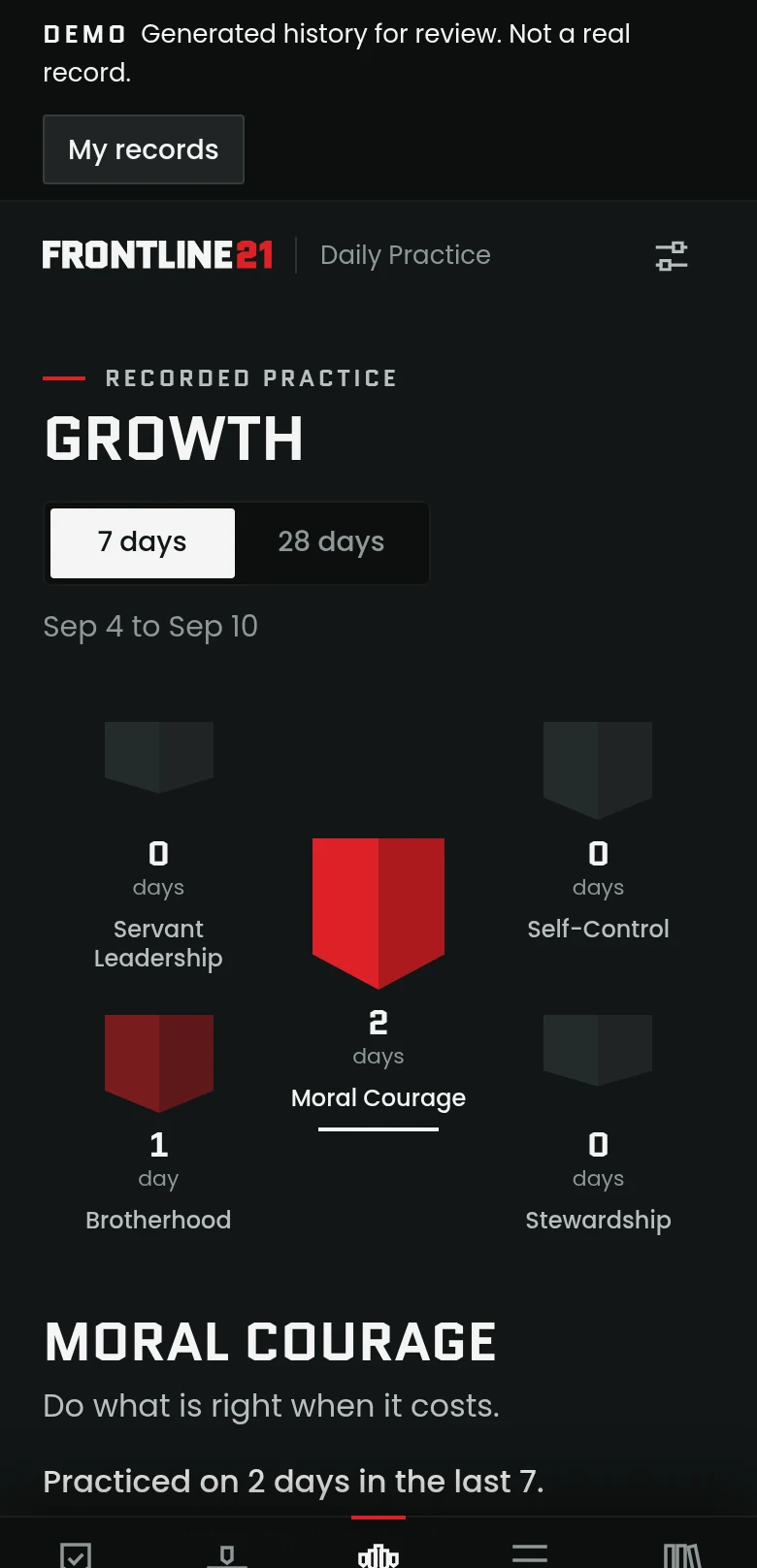
- Growth
- Seven- and 28-day views of the values you practiced and the actions behind them.
- History
- A dated record you can correct or fill in later, without rewriting what you chose before.
No grades, no percentages, no rankings. Only what you logged.
10 · Walkthrough
See the app in action.
An 87-second walkthrough of one Line Brief, from the situation to the Field Report.
Recorded from the current build in a desktop browser at phone size. Silent; the written walkthrough says what it shows.
Read the walkthrough
- The daily Wall of Truth. The day opens on one statement from the code, with its Scripture and Field Manual day.
- Today. The Line Brief above the day’s physical, mental and spiritual commitments, none recorded yet.
- The situation. A conversation he keeps putting off, and when it gets pushed back. His line becomes: when the moment to raise it comes, I’ll ask Sam for a time to talk.
- The action. He prepares a response in case he becomes defensive, takes the smaller step, ask for a time to talk, and makes it today’s value action.
- The return. He records that he asked, and separately that a time was agreed. The conversation itself becomes the next step.
- The next day. The conversation happened; something he said needs putting right. He does part of that and says so.
- The Field Report. What he intended beside what he did, what he learned, what he will carry forward and what is still open.
11 · Questions
Before you ask.
What does the app help me do?
Choose a daily practice, prepare for a real situation with a Line Brief, record what you did and look back honestly at what you kept.
Is it only a 21-day program?
No. It supports an ongoing daily practice. It includes the 21 Wall of Truth statements, and a Line Brief unfolds in its own time rather than on a fixed schedule.
Do I choose my own commitments?
Yes. Suggestions are starting points. You can edit, correct or pause any commitment, and the app records what you planned beside what you did.
What happens if I miss a day?
A day you did not log stays unknown. It is not recorded as a failure. A mission does not restart, and you can come back and record the right date.
How does The Daily Stand work?
There is one reading for each date, the same for every man who opens it that day. A missed reading stays in the archive with no catch-up list. Before the dated edition begins, the prototype rotates a small set of evergreen readings, and it says so on the screen. The readings are still in editorial review.
Which health information can it use?
The plan is completed workouts, such as strength sessions and runs, and daily totals for food energy and protein, read from Apple Health on iPhone and from Health Connect on Android. Another app contributes only if it writes that information there, and only the kinds you turn on are read. Sets, reps and individual meals are not part of it.
What will the phone boundaries cover?
On iPhone, the apps, categories and websites you choose, at the times you choose, through Apple’s Screen Time, plus an optional adult-website filter. Apple decides what that filter covers; it is not complete and it does not reach inside other apps. Android does not offer apps these controls, so there the app will point you to your phone’s own settings.
Who sees my health and phone information?
You grant each permission on your phone and can withdraw it there. In the current prototype, what the app reads stays on your device and is not sent anywhere. The boundaries keep a count of what you chose, never the list, and report to no one.
Is it a social network?
No. There is no feed and no in-app messaging. The app centers on your own practice and private records. Brotherhood happens in your real relationships, and the app can prompt you to reach a brother.
Where are my records stored?
In the current prototype, on your device, with export and import so you can keep your own copy. There is no Frontline21 account or sync in this build. How the released app keeps records will be stated here before launch.
When can I download it?
Not yet. The app is in development for iOS and Android, and no release date has been announced. The Daily Stand, health imports and phone boundaries are planned as part of the launch, and are still being built and tested. One launch email will tell you when it is ready.
What will it cost?
Pricing has not been announced.
What it is for
The greatest generation of the 21st century.
They will not be remembered for what they consumed. They will be remembered for what they carried forward.
- For holding the line amid cultural drift.
- For standing for truth in an age of relativism and self‑indulgence.
- For stewarding faith, family, responsibility and a way of life for the children who would inherit it.

Legacy is built one kept commitment at a time.
I will leave something worth inheriting.
12 · Take your place
I stand with men on mission.
Frontline21 is calling one million men to live this code. It starts with one man keeping one commitment.
Notify me at launch
One email when the Frontline21 app launches. Nothing else.
Launch notice signup isn’t open yet. It will open here once it can record your request.
The Field Manual is ready today: twenty-one days of Scripture, reading and prayer. Get the Field Manual.